AI-powered legal intake: what AI can do, and six vendor claims to test
 LawVu
TL;DR
AI-powered legal intake can classify, prioritize, and route incoming requests, and even answer some requests directly. Almost every vendor now claims to offer it, but they’re not all equal. Before you invest in AI-powered legal intake, test each vendor claim on context, governance, and continuity.
Most legal tech vendors now claim to have AI-powered intake, so the label alone tells you very little. Two products can both claim AI-powered legal intake yet do very different things.
This guide explains what AI legal intake can do, what to watch for, and which six vendor claims to test before you invest.
How can AI-powered intake help with requests?
AI-powered intake relies on AI to automate the first stage of a legal request. When someone in the business asks legal for help, AI can interpret the request, ask clarifying questions to fill any gaps, classify it by type, set a priority based on risk and urgency, route it to the right person, and answer routine questions directly. The legal team should be able to set the rules AI follows, and a lawyer should always be able to review or override its decisions.
In a manual process, someone in the legal team reads each email or request form, works out what the request involves, and assigns it manually. That takes time, which compounds with volume.
Vendors also differ in where they apply AI, and that shapes what it can do. Most take one of three approaches: Checkbox puts its AI at the front door, triaging and resolving common requests before handing work to other systems. Brightflag applies AI mainly to spend and matter data, and Xakia’s AI starts at matter management and is applied to specific tasks, such as contract redlining or summarization.
Each can be useful, but where AI sits decides what it can see, and that sets a ceiling on how useful its output will be.
AI-powered legal intake: what it does well and where it needs help
The strongest case for AI-powered intake is speed at volume. AI is good at classifying and routing hundreds of requests a month, answering the same policy and standard-template queries, summarizing long email threads, and flagging deadlines that need urgent attention. It can also gather details through a conversation with the requester and ask clarifying questions, so requests reach legal complete. For a small legal team, manual intake takes lawyer time that would be better spent on higher-value work.
The limiting factor is that AI can only work with the information it has. Say the business submits a supplier agreement for review. AI returns an accurate summary, but it doesn’t factor in other context. The lawyer knows that the supplier is already in a dispute with the business, the matter budget is nearly spent, and another team has already raised the same request. AI doesn’t.
Nothing in the summary was wrong, but a lawyer with the full picture would have handled the request differently. AI can’t route what it can’t see.
Six vendor claims to test before you buy
Below are six claims you’re likely to hear in a product demo. For each, there’s a question to ask the vendor and a description of what a good answer sounds like.
1. “Our AI triages every request.”
Ask: What data does it use to make these decisions, whose rules does it apply, and can legal see and override each suggestion?
Triage runs on rules your team configures, such as request type, risk thresholds, and who handles what. Every suggestion should be visible, easy to reassign, and recorded.
2. “AI resolves most requests automatically.”
Ask: What counts as resolved, which request types qualify, and is every self-served answer logged?
You should be able to choose what requests can be self-served, while ensuring that every automated answer is logged. Any resolution rate they quote should come with a clear definition of “resolved.”
3. “We integrate with everything.”
Ask: Is the data held in one system or synced between tools, and what happens when a request becomes a matter?
With true AI-powered intake, a request should become a matter automatically, and its history and documents go with it. If it relies on syncing separate tools, the vendor should explain what happens when a sync fails.
4. “Our AI understands your matters.”
Ask: Can it see the contract, spend, and history, or only what’s pasted in or submitted?
AI can only draws on records it can see, which means it needs to be grounded in your matters, contracts, and spend, under the same permissions your lawyers have.
5. “There’s always a human in the loop.”
Ask: Can you set automation levels by risk, and is there an audit trail?
You decide, by request type or risk level, whether AI acts on its own, acts and flags exceptions, or waits for review. Every action is recorded along with who or what took it.
6. “You’ll be live in weeks.”
Ask: What does adoption by the business look like at 90 days, and who configures changes after go-live?
Ensure the vendor can describe how the wider business adopted intake with similar businesses, and ensure your team can change forms, rules, and routing without raising a customer support ticket each time.
How Checkbox, Brightflag, Xakia, and LawVu apply AI to intake
The table below compares where each vendor applies AI, what that AI can draw on, and which team each product suits best.
The information below is based on each vendor’s published materials as of October 2026. Products change quickly, so check you have the most up-to-date information when comparing vendors.
| Vendor | Where the AI sits | What it can draw on | Best fit |
| Checkbox | At the front door: captures requests across channels, then triages, prioritizes, and resolves common ones, with workflows that hand work to other systems | The incoming request and the rules configured in its workflows; downstream records sit in other tools | Teams that want a dedicated front door feeding systems they already use |
| Brightflag | On spend and matter data: Ask Brightflag, a generative AI assistant for querying and acting on spend and matters, plus AI invoice review; also references intake and triage | Spend, invoice, and matter data held in Brightflag | Teams whose top priority is outside counsel spend and billing control |
| Xakia | Starts at matter management, with AI applied to specific tasks such as contract redlining and summarization; intake runs through its Internal Client Portal with routing and deflection rules | Contracts and matters held in Xakia | Teams that want matter management with AI contract review |
| LawVu | Across intake, matters, contracts, and spend in one legal operating system | The request plus related matters, contracts, spend, and history | Teams that want intake through to matters, contracts, and spend in one system, so AI works from the full picture and legal can report across all its work |
If you want AI to capture and route requests into tools you already run, a front-door product may be enough. If you want AI that triages a request to also see the matter, contract, and spend behind it, a legal operating system like LawVu LegalOS.
The context test
When you assess a vendor’s AI capabilities, ask three questions:
- What legal data does the AI have access to?
- What permissions does AI have and can they be controlled?
- What record does AI leave behind?
These map to three tests: context, governance, and continuity.
Context
When intake, matters, contracts, spend, and history sit in one connected legal operating system, like LawVu LegalOS, the AI triaging that supplier agreement can see the dispute, the budget, and who asked last time.
Governance
Legal should be able to set the guardrails for what AI can do across permissions and approvals. It should also record and maintain a continuous an audit trail.
Continuity
Decisions stay on the record, so each request adds to what the team, and the AI knows about the business.
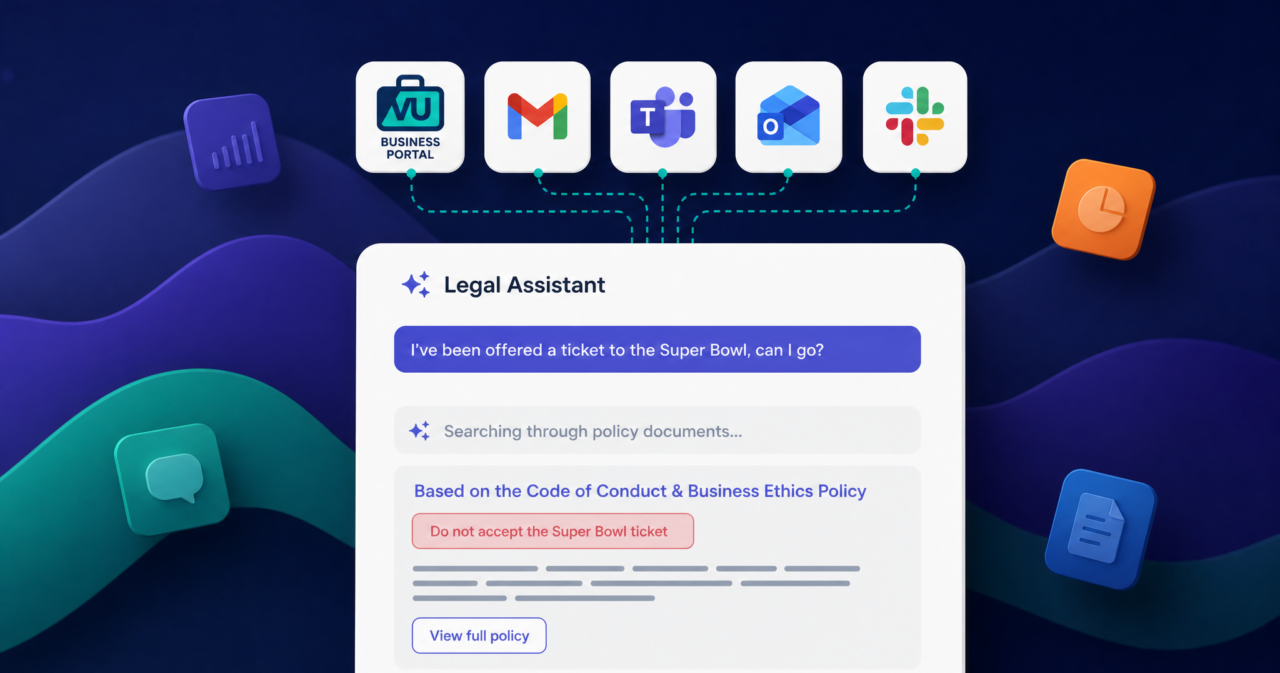
Context, governance, and continuity drive the AI behind LegalOS. Its legal front door captures requests from the tools the business already uses, such as Outlook, Gmail, Slack, Microsoft Teams, and Salesforce. AI then helps triage and route the requests by risk, urgency, workload, and expertise, suggesting owners, summarizing notes, and offering self-service within guardrails legal sets.
Requests then become matters in the same operating system, so every request adds to the data AI can draw on next time.
“Having a legal operating system like LawVu is the best foundation for AI because all of our data is in one place.” – Russell Davies, Global Head of Operations – Legal and Compliance, Dentsu
It’s time to compare vendors
When choosing a vendor, plan for AI that will do more than just suggest. AI for legal departments is moving from recommending actions to taking them, such as assigning or closing routine requests within the guardrails legal sets. That makes governance critical. Be clear with each vendor on who sets the rules, what AI can touch, and how you can check its work.