How to choose the right legal intake software for your in-house legal team
 Marija Barbarich

TL;DR
Legal intake software gives an in-house legal team a front door to capture, triage, and route requests from the business. Most vendors look similar at that front door, so the deciding factor is what happens next: whether an accepted request becomes a matter with its history, contract, and spend alongside, or gets re-entered somewhere else. This article compares five approaches and four vendors (LawVu, Checkbox, Brightflag, and Xakia), and gives you 10 questions to ask in demos and a weighted scorecard for your shortlist.
Evaluating legal intake software can be difficult when most vendors promise the same benefits, and demos often look similar: a clean request form, a tidy queue, and a request routed to the right lawyer in a few clicks. When there is no clear point of difference from vendors, it’s hard to make a shortlist.
However, there is a point of difference. And it comes down to what happens beyond legal’s front door: does the request become a matter that contains all its history, or does it get re-entered somewhere else, with the contract in one system and the spend in another?
Getting this wrong keeps legal’s work scattered. In IDC’s study, The Hidden Cost of Legal Friction, 49% of legal teams said scattered communications contribute most to time waste or inefficiencies. This article will help you look past the front door when you evaluate legal intake software, so your shortlist reflects the full picture of legal’s work.
What is legal intake software?
Legal intake software is the system an in-house legal team uses to capture requests from the wider business, triage them by priority and risk, and route them to the right lawyer or to a self-service function. The software acts as a front door to the legal team, capturing requests that are often scattered across emails, chat messages, and phone calls.
In-house legal intake software is not the same as law firm client intake software. Law firm tools are built to qualify prospective clients, run conflict checks, and open billable files. In-house intake serves internal stakeholders who never pay an invoice, so the priorities are speed, visibility, and control over legal’s capacity.
Five approaches to legal intake software
Most in-house legal teams use one of the five approaches below, each with a different outcome to what happens after a request is submitted.
A dedicated legal intake platform suits most legal teams better than ticketing, because it is built around legal’s questions (risk, urgency, expertise). The bigger divide is between standalone intake software and intake that runs within a legal operating system: whether a request leaves the system once it is accepted or stays in it.
| Approach | How requests arrive | Triage and self-service | What happens after intake | Reporting | Best fit |
| Email and shared inbox | Any channel, usually forwarded to a shared mailbox | Manual triage by whoever checks the inbox; no self-service | Work tracked in spreadsheets or personal folders | Manual counts, if any | Very small teams with low, predictable volume and simple requests |
| Generic ticketing (Jira, ServiceNow) | A portal or form built for IT or HR requests | Rules-based routing, usually configured by IT; little to no legal self-service | Ticket closes; legal work, contracts, and spend live elsewhere | Ticket volume and resolution time | Teams with strong IT support and a mandate to use one company tool |
| Standalone intake and legal front door software | Forms plus email, Slack, Teams, and CRM capture | Configurable triage, routing, and self-service, often AI-assisted | Handed off to separate matter, contract, or spend systems through integrations | Strong on requests and intake | Teams keeping their current downstream tools and adding a front door |
| Intake inside a spend-led or matter-led platform | Portal or forms within the platform | Varies; often built around creating a matter | Request becomes a matter; depth depends on the platform’s core focus | Strong on spend or matters, depending on roots | Teams whose main priority is outside counsel spend or matter tracking |
| Intake inside a connected legal operating system | Portal plus email, chat, and CRM channels into one queue | Triage, routing, and self-service with guardrails set by legal | Request converts to a matter in the same system, with contracts and spend alongside | Across requests, matters, contracts, and spend | Teams that want intake, matters, contracts, and spend in one place |
What features should legal intake software have?
These features separate legal intake software worth buying from those that are masked as a better-looking inbox. For each, we cover what it does, why it matters, and what good looks like.
The ability to capture requests from where the business already works
Business users rarely change their habits for new software. Good legal intake software captures requests from email, Slack, Microsoft Teams, and the CRM, and lands every request in the same queue, wherever it started. In practice, that means a sales rep can raise a contract request without ever leaving the deal record. When legal meets the business where it already works, adoption follows, and so does engagement.
Conditional intake forms
Incomplete requests are one of the quickest ways to slow legal down. Conditional forms prevent this by showing or hiding fields based on earlier answers, so a routine request stays short, and a complex one collects everything upfront. Good looks like a contract request that asks for counterparty, value, and deadline only when they apply.
The ability to triage and route requests by risk, urgency, workload, and expertise
Legal intake software should prioritize requests by risk and urgency, using rules legal sets and can adjust. Look for routing that considers workload and expertise, so each request reaches someone with capacity and the right skills, and a clear record of why each request went where it did.
Self-service with guardrails
Self-service lets business users handle low-risk, routine tasks themselves through published guidance, approved templates, and FAQs. Guardrails such as approval thresholds, permissions, and a log of everything self-served mean legal stays in control of what goes out. A sales rep can generate a standard NDA from an approved template in minutes, and anything that strays from the standard lands with legal automatically.
Status visibility for requesters
Legal fields a steady stream of questions from the business about where requests are up to. Requesters should be able to see the status of each request and who in legal owns it. A requester can check progress in the portal, or in Teams or Slack, without sending a single ‘any update?’ email.
Reporting on demand, volume, and turnaround
General counsel are expected to show the board where legal’s time goes. Out-of-the-box reports should cover volume by type and business unit, turnaround, and open workload, without a services project. Good looks like a general counsel filtering a quarterly view of demand by business unit in minutes. For legal ops, the same data shows which high-volume requests could be automated or moved to self-service.
Security, permissions, and an audit trail
Requests often carry sensitive information. Look for role-based permissions, the ability to restrict confidential request types, a full audit trail of who saw and changed what, and clear answers on data residency and security certifications. Good looks like a sensitive HR request that only the employment team can see, with every view and change logged.
The ability to share share the same platform as your matters, contracts, and spend
This is the deciding criterion for legal intake software. When a request is accepted, it should become a matter without anyone re-keying it, keeping its form data, documents, and conversation. If it involves a contract or outside counsel, those should sit alongside it, either in the same system or through a connection you have tested yourself.
The risk of getting this wrong is real, as Andrew Hay, Head of Operations, Legal and Secretariat at Co-op, explains:
“Everyone in the legal team at the Co-op is using LawVu now. Before LawVu, there was a significant risk around documentation – it was scattered throughout emails. I now have a much more robust record of what’s happening, and LawVu has reduced our exposure for not having complete matters.” – Andrew Hay, Head of Operations, Legal and Secretariat at Co-op
AI that works within governance and human oversight
As it becomes more common for legal software to use AI to streamline intake, it’s important to have structure around human oversight.
AI can resolve routine requests, summarize requests and matters, suggest priorities, and answer routine questions within the existing legal knowledge and parameters it has, then provide a path for escalation for higher risk matters when legal needs to be involved.
Legal should be able to define risk posture so that AI remains within guardrails. Legal should also decide whether each workflow runs fully automated, by exception, or with a lawyer in the loop, and be able to review and override any AI output. For more on this, see how AI is changing intake and triage.
Ease of configuration and business adoption
Even the best tool on paper fails if the business ignores it or legal cannot change a form without a service ticket. Ask who configures workflows, how long a change takes, and what adoption looks like for teams like yours, and plan your change management early. Good looks like legal ops adding a new request type in an afternoon, without raising a ticket.
See the LegalOS in action.
10 questions to ask legal intake software vendors
Use these questions in any vendor demo or RFP.
- Where can the business submit requests, and does each channel land in the same queue? Your preferred vendor should be able to name all the channels their intake software can capture requests from and show how the requests arrive in one place.
- How are requests triaged and routed, and who sets the rules? Look for rules legal owns and can adjust, with routing that accounts for risk, urgency, workload, and expertise.
- What can be resolved through self-service, and what controls does legal keep? Your preferred vendor should be able to set approval thresholds, permissions, and keep a log of every self-served action.
- What happens when a request becomes a matter? Does its history carry over? Form data, documents, and messages should follow the request without anyone re-entering them.
- Are contracts and spend in the same system, or connected through integrations? Either can work, but for integrations, ask what syncs between the systems and who is required to maintain it.
- What can the AI see when it triages or summarizes, and who can override it? Vendors should be able to speak to data access, permissions, and how a person reviews AI’s output.
- What does the out-of-the-box reporting show? Ask for the standard reports on volume, turnaround, and workload, and which ones need extra configuration or services.
- Who configures workflows, and do changes need IT or professional services? Legal ops should be able to update forms and routing without opening a ticket.
- How long does implementation take, and what does adoption look like at 90 days? Ask for a typical timeline and a customer reference from a team about your size.
- How is pricing structured for business users who only submit requests? Per-seat pricing for requesters can make organization-wide adoption expensive, so check whether occasional submitters are included.
Best legal intake software for in-house teams: LawVu, Checkbox, Brightflag, and Xakia
LawVu, Checkbox, Brightflag, and Xakia each take a different approach to legal intake software. And the best fit for your legal team and the wider business will depend on your priorities.
If you require a system that captures legal requests from multiple channels in one system, and contains all the work related to the request (or matter it becomes) thereafter, then a legal operating system like LawVu’s LegalOS is worth considering. And because LegalOS connects requests, matters, contracts, and spend, its AI works from the full history of legal’s work, not only what someone pastes in.
If you only need a configurable front door to capture legal requests and a system that can hand it off to other tools used, then Checkbox may be worth considering.
The table below compares each vendor based on published materials as of October 2026, so check current details before you decide.
| Vendor | Core focus | How intake works | What happens after intake | Where AI is applied | Best fit |
| LawVu | Operating system for in-house legal (LegalOS): brings intake, matters, contracts, spend, and reporting in one platform | Business Portal plus capture from Outlook, Gmail, Slack, Microsoft Teams, and Salesforce into one queue | Request converts to a matter in the same system, with contracts and spend alongside | From the first request onward: triage by risk and urgency, matter summaries, contract key terms, and invoice review against billing guidelines | Teams that want intake connected to matters, contracts, and spend so they can see all their legal work in one place |
| Checkbox | AI-powered legal front door for in-house teams | Captures requests from email, Slack, Teams, Salesforce, intranet portals, and forms; AI triage and self-service | Workflow orchestration and tracking; positioned to sit in front of downstream tools such as an existing CLM | At the front door: intake, triage, and self-service | Teams that want a configurable front door in the systems they already use and have resources to configure workflow and integrations between systems |
| Brightflag (Wolters Kluwer) | AI-powered enterprise legal management with roots in spend management and e-billing | Service request management within the platform | Matters tracked alongside invoices, budgets, and outside counsel | Invoice review and the Ask Brightflag assistant | Teams whose top priority is outside counsel spend |
| Xakia | Matter management for in-house teams, with intake, spend, contracts, and reporting | Internal Client Portal with conditional forms, routing rules, and deflections | Requests become matters or contract records on the same platform | Starts at matter management | Smaller teams wanting matter management with a portal-based front door |
LawVu’s LegalOS
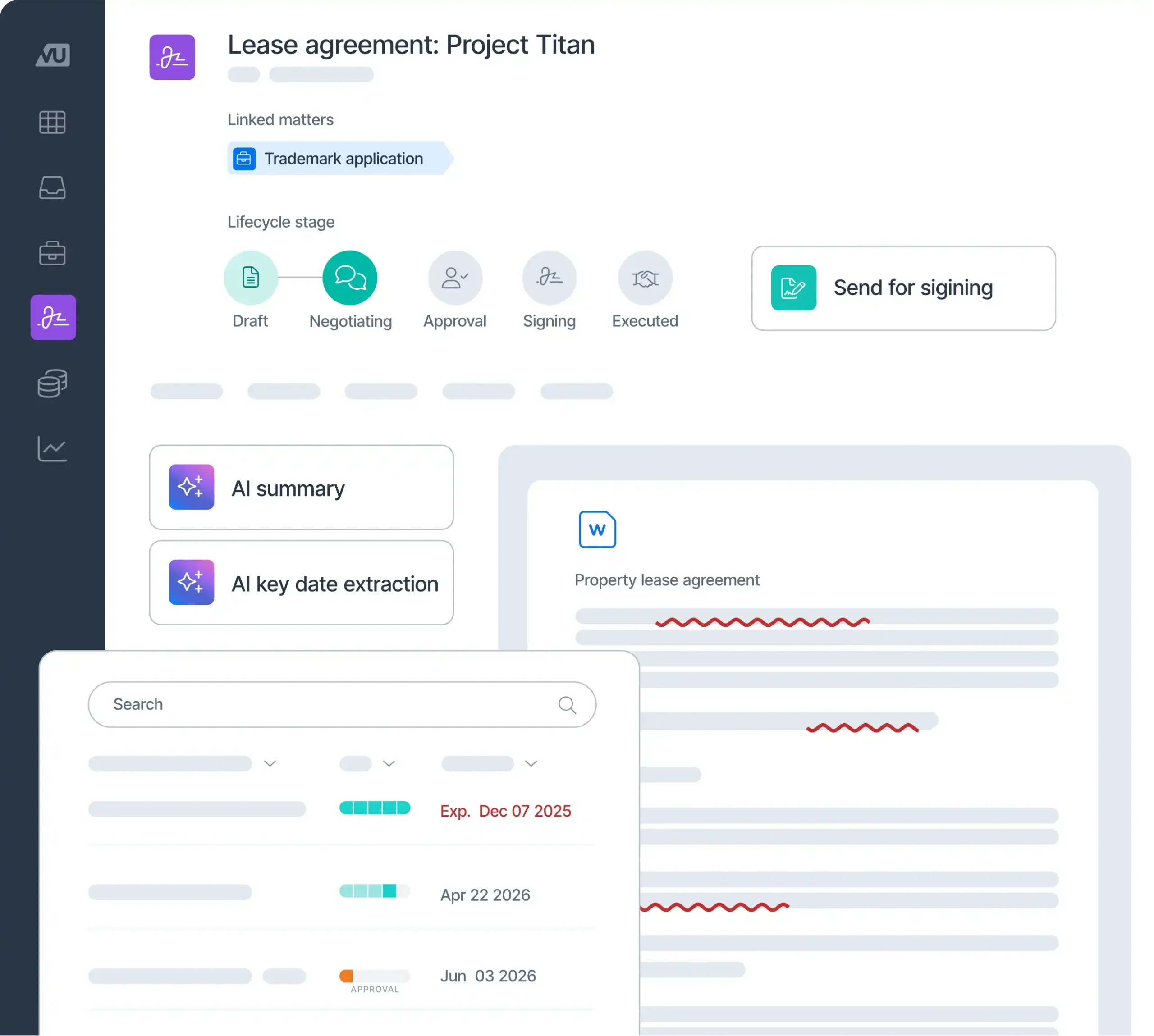
LawVu LegalOS is the operating system for in-house legal, bringing intake, matters, contracts, and spend into one connected system. Every request lands in one queue, whatever channel it came through, and carries its full history into the matter it becomes, so legal never has to rebuild context and AI works from the complete record.
Best fit: teams that want every request, and all the work that follows it, in one system, from intake and matters to contracts and spend. Less suited to teams that only want a standalone front door in front of systems they plan to keep.
Checkbox
Checkbox positions itself as the AI-powered legal front door for in-house teams, and describes itself as an intake and orchestration layer that can sit in front of an existing CLM. The difference is scope: a front door that structures work and hands it to other systems, versus one system that takes legal from the first request to the final invoice, with outside counsel spend and eBilling alongside matters and contracts.
Best fit: teams that want a dedicated front door and plan to keep their downstream tools.
Brightflag
Brightflag, part of Wolters Kluwer since 2025, is an AI-powered enterprise legal management platform with roots in spend management and e-billing. It has expanded its matter management with features such as matter updates and tasks. Where it differs is the starting point: spend-led legal management versus an intake-led operating system.
Best fit: teams with significant outside counsel spend, where invoice review and budgeting come first.
Xakia
Xakia offers matter management built for in-house teams, with intake and triage through its Internal Client Portal and intranet forms. Its Teams and Slack integrations send alerts about new requests, with Slack available on the Enterprise plan. It positions itself on value and fast onboarding. The clearest contrast is where AI is applied: Xakia’s AI starts at matter management, while LawVu LegalOS puts AI at the front door too, answering routine questions where the business works and routing the rest by risk and urgency.
Best fit: smaller teams that want matter management with a portal-based front door.
A legal intake software scorecard
Use this scorecard when assessing legal intake software vendors.
Adjust the weights to your priorities (keeping the total at 100), score each criterion from 1 (weak) to 5 (strong), and multiply the score by the weight. The highest possible total is 500.
| Group | Criterion | Why it matters | Weight | Score (1 to 5) | Weighted |
| Business experience | Capture in email, Slack, Teams, and CRM | Adoption depends on meeting requesters where they work | 10 | ||
| Business experience | Status visibility for requesters | Fewer status checks and clearer expectations | 5 | ||
| Triage and self-service | Conditional forms and triage rules legal owns | Right information first time; right person every time | 10 | ||
| Triage and self-service | Self-service with guardrails | Frees capacity without losing control | 10 | ||
| Downstream work | Request becomes a matter with its history | No re-keying, no lost context | 15 | ||
| Downstream work | Contracts and spend alongside | One record of the work, start to finish | 10 | ||
| Reporting | Out-of-the-box reports on demand, volume, and turnaround | Shows legal’s value without manual work | 10 | ||
| AI and governance | AI with oversight, permissions, and an audit trail | Speed without giving up control | 10 | ||
| Implementation and adoption | Configuration without IT; time to value | Legal can adapt as needs change | 10 | ||
| Total cost | Pricing for business users and total cost of ownership | Wide adoption should not cost more per requester | 10 | ||
| Total | 100 | Out of 500 |
Common mistakes when evaluating legal intake software
Five mistakes come up repeatedly when teams assess legal intake software:
- Evaluating what a solution can capture only. A polished request form is easy to demo, and most vendors look similar at this stage. The real differences appear later: whether an accepted request becomes a matter with its history intact or gets re-entered into another system. Ask each vendor to walk a request from submission through to a matter, and note any step where data is re-keyed or context is lost. Test what happens after a request is accepted.
- Designing for legal instead of the business. Long forms, unfamiliar portals, and legal jargon all add friction to the business. Test the experience from the requester’s side: capture in the tools they already use, forms that only ask what’s relevant, and clear status updates once a request is submitted.
- Underestimating adoption. Configuration gets the system ready, but adoption is what makes intake work. Without a launch plan, requests keep arriving by email and the new queue shows only part of legal’s demand. Plan training, communications, and business champions in each team, not just configuration.
- Adding AI on top of disconnected data. AI triage is only as good as the context it can see. If requests, matters, contracts, and spend sit in separate systems, AI can summarize a request but can’t draw on related matters, past advice, or existing agreements.
- Shortlisting law firm client intake tools by mistake. Many are built for client acquisition and billing. Searches for legal intake software often surface law firm tools that qualify prospective clients, run conflict checks, and open billable files. In-house teams need triage, self-service, and visibility into legal’s workload instead, so confirm each tool on your shortlist is built for internal stakeholders.
The benefit of connecting intake and matters in one system
A request is rarely finished once it is triaged, which is why legal software that connects intake to matters creates real value for legal teams. An NDA request can become a negotiation, while a supplier question can end up requiring a contract amendment. If intake and matter work happen in different systems, history gets lost and reporting shows only one slice of legal’s work.
That is the thinking behind LawVu LegalOS. LawVu LegalOS enables requests to arrive through the Business Portal or the tools the business already uses, including Outlook, Gmail, Slack, Microsoft Teams, and Salesforce. Legal reviews, prioritizes, and assigns them in one queue, and an accepted request converts to a matter with its history intact, with contracts and spend in the same system. Legal can add as many business users as they want on the portal, so wider adoption doesn’t add cost.
“We now use LawVu across every aspect of our work: at team meetings to allocate new requests to the right lawyer; to assign work to external lawyers, including scoping and tracking costs; to report on business unit managers work and any trends we’ve identified. We also use LawVu to report to the senior leadership team on emerging risk areas, trends, and overall legal costs. All of this happens with very little administrative overhead, freeing up time for us to get on with the work, and think about how we might do things better.” – Fiona McLeod, General Counsel, Nelson City Council
For more case studies from customers using LawVu, click here.
Next steps
Legal front door functionality is where most vendors deliver, but it’s only the first step.
The deciding factor for legal intake software is simple: a request should carry through to a matter, with its context alongside it, without anyone double-handing or re-entering information into other systems.
Use the questions and scorecard above to assess what each vendor on your shortlist can do beyond capturing requests.
To see how intake operates together with matters in LawVu’s LegalOS, click here.