Express interest to be among the first to try the LawVu Assistant and help shape where it goes.
Schedule a live demo to see how the LawVu Assistant works for legal and the business.
The Assistant works across your entire LegalOS so the opportunities are endless. Some examples include:
- Q&A across matters, contracts, spend, tasks, knowledge, files, users, and - Legal Service Providers
- Summarizing matters and contracts
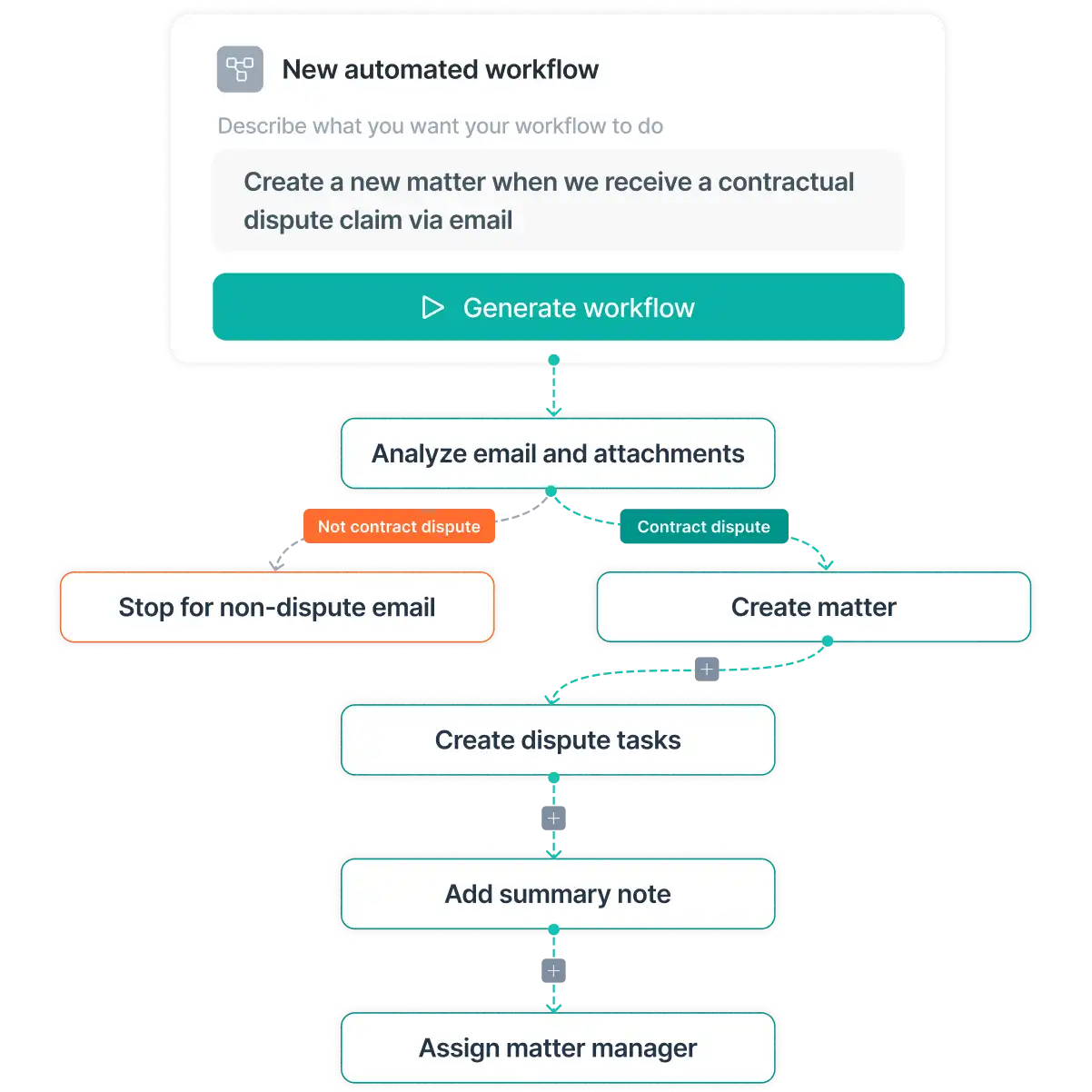
- Creating matters
- Adding notes to matters
- Setting up tasks and assigning owners
- Getting outside counsel recommendations
- Updating statuses, owners, categories, expiry dates, and key fields
- Surfacing information and insights without navigating multiple screens
The legal team will set parameters around what they will allow the business to self-serve vs get started before engaging legal. Some examples include:
- Creating a legal request
- Self-serve answers based on legal-approved policies and knowledge articles
- Create and execute a low risk contract such as an NDA or MSA
- Get answers to common FAQs
- Guided matter creation and review, creating structured, context-rich matters ready for legal action
Yes. You can create custom skills (instructions) that teach the Assistant how your team works. Apply your organization's playbooks, policies, standards, and preferred processes so responses and actions align with the way your legal team operates. This helps ensure consistent outcomes while reducing repetitive work.
Yes. The LawVu Assistant respects your existing user permissions and data access controls. Users can only access information they already have permission to view, and organizations can control who has access to the Assistant and who it is rolled out to.
The LawVu Assistant is designed with transparency and accountability in mind. Assistant-supported actions are clearly identified, changes require user approval, and activity is recorded through a full audit trail. This allows legal teams to understand what actions were taken, when they occurred, and who approved them.
Yes. The Assistant can help create, update, and manage work across LawVu using natural language. Examples include creating matters, updating records, assigning tasks, adding notes, and managing key information. Legal approval is required before changes are made.
The Assistant can access information across matters, contracts, policies, knowledge repositories, legal notes, and other content stored within LawVu. This allows it to provide context-aware responses based on your organization's legal knowledge and approved guidance.
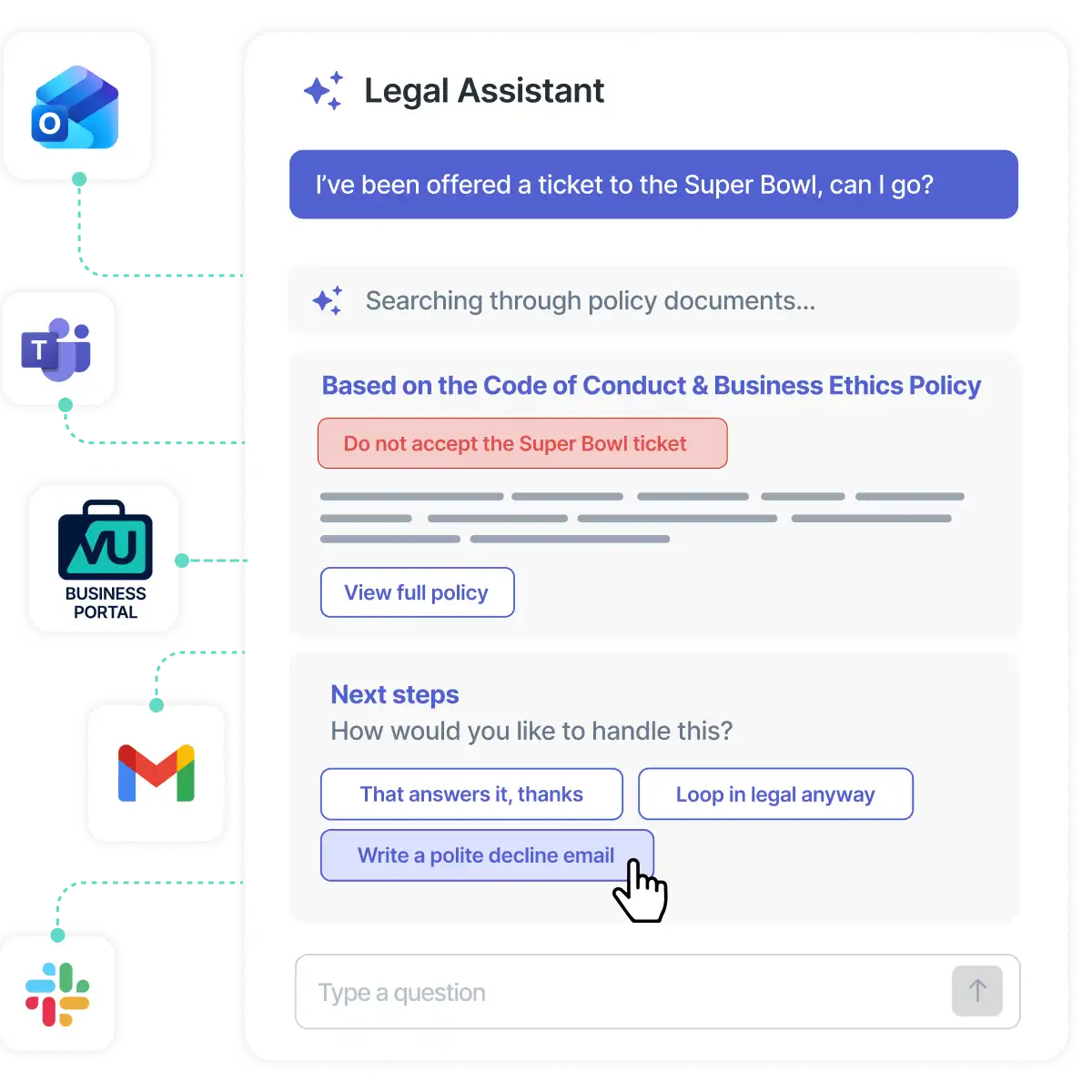
Yes. Business users can ask questions and access legal-approved guidance directly from the tools they already use, including Teams, Slack, email, and the Business Portal. When legal review is required, requests are routed to the appropriate team with the necessary context already captured.
The LawVu Assistant is purpose-built for in-house legal teams. Unlike general-purpose AI tools, it understands legal workflows, works with your legal data and processes, can take action across LawVu, and includes governance controls such as approvals, permissions, auditability, and organizational oversight.