Legal workflow automation for in-house teams: where work stalls and what to automate first
 LawVu
TL;DR
Legal workflow automation uses software to move legal work through repeatable steps, from capture and routing to approvals, tracking, and reporting, without manual chasing. Most in-house teams have automated the front door, but work still stalls when someone has to turn a request into a matter manually. This article covers each stage of the workflow, which workflows to automate first, and what to look for in software.
Most in-house legal teams have some form of legal workflow automation in place. A business user might submit a request through a form or email, and it’s routed to the right lawyer automatically. That lawyer typically opens a new matter, copies the details across, digs the attachments out of an email thread, and asks the requester for more information. The routing is automated, but the handoff to the matter is still manual, and that’s where most legal workflows slow down.
What is legal workflow automation?
Legal workflow automation involves automating legal work through a defined sequence of steps, for example, capturing and routing a request to approving, tracking, and reporting on it.
In-house workflow automation is different from law firm practice management software, which is built around billable time, client invoicing, and case files for external clients. Legal workflow automation in-house typically includes legal requests, approvals, contract requests, and compliance reviews.
Where legal workflows fail: the handoff between requests and matters
For the purpose of this guide, we’re going to focus on automating requests and matters, as thats where bottlenecks typically form.
Most in-house legal tech can automate aspects of intake and matters well. There’s what we call “front door” tools that handle capturing and routing requests through forms, request portals, ticketing systems, and from the tools the business already works in, such as email, Slack, Salesforce, and Microsoft Teams. And then theres dedicated matter management software which tracks all the information, including documents, contracts, and communications related to each request once the work is underway.
Where these tools often fail is at the handoff between intake of the request and the creation of the matter. Often, a lawyer has to convert the request into a matter manually, gathering relevant information from email threads and creating new records. While this may seem like a small task, over time it costs the legal team in four key ways:
- Delay. Work sits in a queue between systems, and nobody owns the delay.
- Lost history. The lawyer starts work without the attachments, form answers, or triage notes that came with the request.
- Inconsistent records. Each person creates matters slightly differently, so the data can’t be trusted.
- Broken reporting. Legal can count requests and count matters but can’t connect demand to outcomes.
An automated front door for intake that feeds a manual matter management process just moves the bottleneck further down the line. End-to-end legal workflow automation solutions connect each stage to remove those bottlenecks.
The lifecycle of an automated legal workflow
Every piece of in-house legal work follows roughly the same path. The table below shows what can be automated at each stage and what needs to carry forward to the next one.
| Stage | What gets automated | What must carry forward |
| 1. Request | Capture from email, Slack, and Teams; conditional forms | Requester, business context, attachments |
| 2. Triage | Classification, priority by risk and urgency, routing | Risk rating, owner, due date |
| 3. Request to matter | Matter created from the request, not rebuilt | The full request history |
| 4. Matter work | Task templates, approvals, alerts | Linked contract, budget, decisions |
| 5. Resolution | Status updates to the requester, closure | Outcome logged on the matter |
| 6. Learning loop | Reporting on volume and turnaround; new self-service rules | Patterns that improve intake next time |
Stage 1: Request
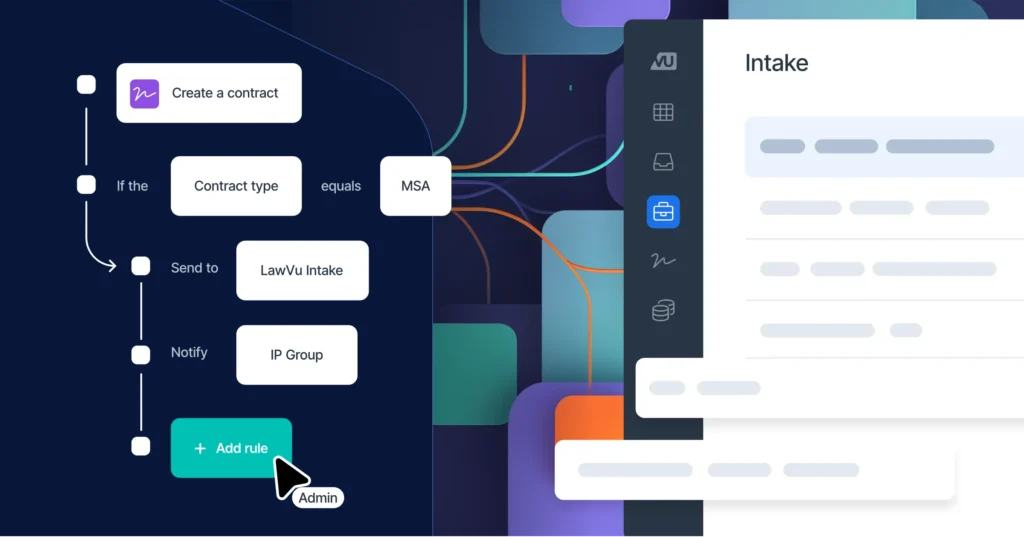
Capture requests wherever the business already asks for help (whether that’s via email, Slack, Teams, or a portal) and use conditional forms so that business users only submit what’s required, and legal gets all the information it needs up front. For example, a business user can fill in an intake form whose answers carry straight into the matter, or AI can pre-populate the form from a conversation or uploaded documents and create the matter from the tool the business user already works in.
Stage 2: Triage
Classify the request, set its priority by risk and urgency, and route it to the right person within the legal team.
Stage 3: Request to matter
This is the stage most legal teams get it wrong, and it’s where the delay compounds. When a request needs ongoing work, the matter should be created from the request itself, so it keeps the same record and the same history. Automation here means that when the request automatically becomes a matter, nothing gets missed. The matter type then determines which template applies, and the requester stays linked so they can still see progress.
What carries forward: the original request, form answers, attachments, triage decisions, and any back-and-forth so far. If this information isn’t carried forward, the lawyer assigned to the matter has to go back to the requester to source the context.
Stage 4: The legal matter at work
As a matter is created, an automation can be set against task templates by matter type, approval steps, and alerts for key dates.
What carries forward: the linked contract, the budget, and the decisions made along the way. When those live elsewhere, spend ends up in a spreadsheet, the contract sits in a separate repository, and decisions stay in someone’s inbox. For more on running this stage well, see our guide dedicated to legal matter management.
Stage 5: Resolution
Automated status updates keep the requester informed without having to chase for status updates. When the matter is done, the outcome, such as the approved wording, the signed agreement, or the advice given, is logged on the matter. Making this a required part of closing the matter means it doesn’t rely on someone remembering. If the outcome isn’t recorded, the next similar request starts from zero.
Stage 6: Learning loop
The final stage is where legal teams use what they’ve learned to improve their service. Reporting on volume, turnaround, matter type, and business unit shows where demand is coming from within the organization and where work stalls.
Identifying those patterns creates new self-service answers, better triage rules, and sharper templates, so intake improves the next time around. Without this loop, legal has no evidence for headcount requests or changes in priorities.
A worked example: one legal request, two workflows
The example below demonstrates how a request to the legal team plays out in a disconnected workflow versus a connected one. An account executive needs an MSA signed before a customer call later in the week. A few weeks after it’s signed, the other party claims a breach, and the MSA turns into a dispute that needs its own matter.
| Step | Disconnected workflow | Connected workflow |
| Request | To be safe, sales sends the request by email, in Slack, and through the request form; each copy lands somewhere different and none has an owner | All three land in one intake queue as a single request, with the deal details and deadline captured |
| Triage | A lawyer eventually finds the email and drafts the MSA without knowing why it’s urgent or that it was sent three times; sales chases twice | It’s routed by risk and urgency; as a standard MSA, sales creates it from an approved template, and legal only reviews changes to the standard terms |
| Request to matter | Weeks later, a breach claim turns the MSA into a dispute; a second lawyer opens a new matter with no link back to the original request | The dispute becomes a matter connected to the original request, the signed MSA, and the spend, so the history moves with the work |
| Matter work | The lawyer pastes the MSA into an AI tool; the summary is accurate but misses the dispute, the budget, and the original request | An owner is suggested based on expertise and workload, and AI summarizes the matter from the full record rather than a pasted document |
| Resolution | Updates only exist when someone writes one, so nobody else can see where the matter stands | Anyone with access can see status, spend, and risk as they change, and the outcome is logged on the matter |
| Learning loop | Neither the request nor the time legal spent on it shows up in reporting, and the MSA’s renewal is only spotted after it has rolled over | Requests show up in reporting by team and type as they arrive, and the renewal is flagged well before the notice deadline, with its full history |
Both workflows involve the same people making the same legal calls. The difference is that the connected workflow keeps the context with the work, while the disconnected one loses a little more of it at every handoff.
Generic workflow tools vs dedicate in-house legal software
Many legal teams start their automation journey with the tools and technology the business already has. This is a sensible first step, but it is worth asking how well each tool can handle legal work once it moves past the front door.
| Approach | What it does well | Where it struggles for legal | Best fit |
| Generic ticketing (Jira, ServiceNow) | Queues, SLAs, service management the business already knows | Privilege and permissions need heavy configuration; no matter context; contracts and spend live elsewhere | A familiar front door that hands off to legal systems |
| General automation (Power Automate, Zapier) | Moving data between apps, notifications, simple approvals | No legal data model; needs technical resource to set up, and flows depend on whoever built them | Extending a legal platform |
| Work management (monday.com) | Flexible boards and collaboration | No structure for matters, contracts, or spend; permissions not built for legal work | Light-volume project tracking |
| Purpose-built legal software (LawVu) | Intake, matters, contracts, and spend in one model, with legal reporting | Works best when processes are mapped out first | Teams automating legal work end to end |
Legal teams often ask whether ServiceNow legal modules or Jira can serve as a legal ticketing system. While these tools can work well as a front door (especially when the rest of the business already uses them), the bigger question is what happens after intake. Does the request become a matter with its history and all records attached, and can legal report on it alongside contracts and spend?
General automation tools also don’t have to be an either-or choice. Many legal ops tools are designed to work alongside them, so a team can use something like Power Automate to extend a legal platform rather than replace it.
What to look for in software that promises legal workflow automation
When evaluating legal workflow software, focus on how well the tool handles the whole journey from legal request to resolution, not just the front door.
Here’s a checklist to use when comparing vendors:
- Requests convert into matters automatically, with the request attached.
- Workflow rules legal can configure without IT, so the team can adjust routing and templates as needs change.
- Approvals, permissions, and an audit trail that respect privilege and show who decided what.
- Contracts and spend linked to the matter, not tracked in separate tools.
- Task templates by matter type, with alerts and deadlines built in.
- Reporting that connects demand to delivery, from requests through to resolved matters.
- AI that acts within guardrails legal sets, with human oversight on anything that matters.
- Integrations with the tools the business uses, including email, chat, and productivity platforms.
If you would like intake-specific criteria, see our guide to choosing legal intake software.
How AI is changing legal workflow automation
Legal workflow automation is moving beyond rule-based routing and toward AI tools that can suggests and takes action within guardrails set. In practice, this means classifying a request, summarizing a long thread before a matter opens, or drafting the first set of tasks.
As AI takes on more of this work, connected data and governance become more important. AI that is limited to seeing only the intake form can sort requests, but with access to the matter, the contract, and the spend, it has the context to draft responses, flag risks, and suggest next steps, provided legal controls what it’s allowed to do and a lawyer stays accountable for the outcome.
The benefit of running legal workflow automation in an operating system
The handoff from legal requests to matters can fast become the biggest roadblock in legal workflows. Connected legal workflows work to reduce manual admin and delays by running the intake and the matter managment in one system, with the contract and the spend alongside. That’s the idea behind LawVu LegalOS, the operating system for in-house legal teams.
In LawVu LegalOS, requests are captured in one place from the multiple streams where the business submits them. And the requests automatically convert into matters with their history attached. Teams and routing rules direct work by matter type, task templates and approvals keep it moving, and alerts flag key dates before they’re missed. Contracts link directly to matters, where collaboration with outside counsel is tracked in the same place, and out-of-the-box reporting is filterable by team, matter type, and business unit, and connects demand to delivery.
And as for teams wanting to realize even more efficiency with AI, LawVu Assistant brings AI into every stage of the workflow, creating matters, assigning tasks, and triggering workflows through natural language, within the guardrails legal sets. LegalOS also offers an MCP server, so legal teams can connect LawVu to AI tools such as Claude, ChatGPT, Copilot, Legora, and Harvey.
“What clinched it for us with LawVu was the easy to use interface and the fact that it combined all of the functions we needed, the matter management, the contract management, and the added element of having some automation” – Nicola Gannon, Deputy Chief Legal Counsel at Craveable Brands.
Where to begin with legal workflow automation
To put this into practice, start by assessing what happens where requests become matters. And when evaluating legal workflow automation software, follow one request all the way from requestion to resolution, and look closely at every point where someone has to copy, forward, or gather information. Legal workflow automation is only as strong as its weakest handoff. Removing the manual step between intake and matters speeds up everything after it, and keeps records consistent.
For a more comprehensive look at an automated workflow in a LegalOS, read our guide From Scattered to Connected: How to gain visibility and foresight across your legal function from first request to resolution.