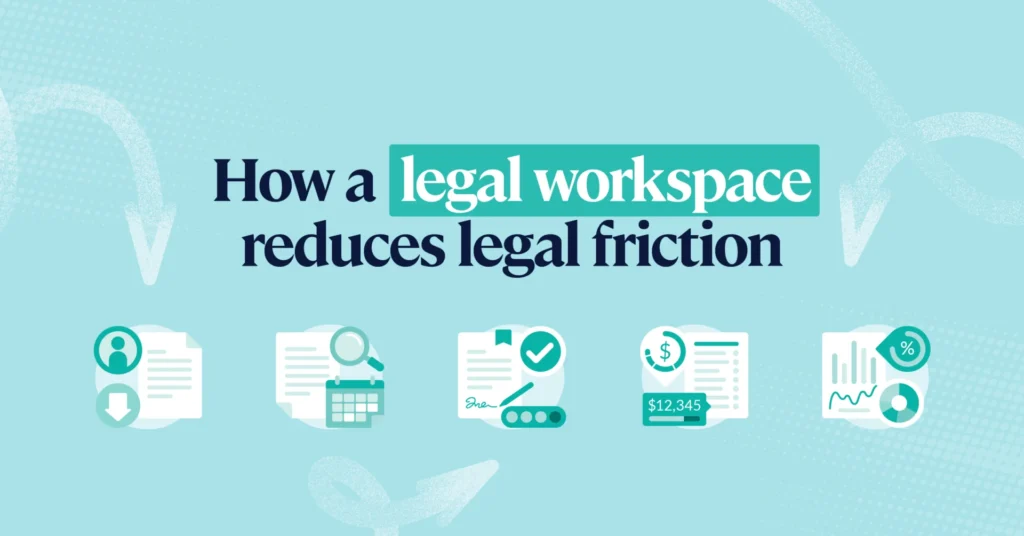
5 ways a legal operating system can reduce friction for your business
TL;DR
Legal friction slows business down through scattered requests, disconnected systems, manual processes, and poor visibility across legal work.
A legal operating system helps eliminate that friction by bringing intake, matters, contracts, spend, reporting, and AI workflows into one connected environment. With LawVu LegalOS, in-house legal teams can reduce manual work, improve visibility, accelerate business workflows, and support the business with greater confidence.
Every business function has an operating system.
Sales runs on a CRM. Finance runs on an ERP. HR runs on an HCM.
Legal has traditionally been the exception.
Instead, many in-house legal teams still operate across email, spreadsheets, shared drives, and disconnected point solutions.
A sales request comes through Slack. Procurement emails over a contract. Finance asks for invoice approvals in Teams. Meanwhile, legal is trying to track priorities in spreadsheets while searching inboxes for context and status updates.
Over time, that operational friction builds.
Contracts take longer to move. Business stakeholders chase updates. Legal teams spend too much time coordinating work instead of focusing on higher-value legal matters.
The issue isn’t that legal teams lack technology. It’s that legal work is still fragmented across disconnected systems. That’s why more organizations are moving toward a legal operating system.
LawVu LegalOS brings intake, matters, contracts, spend, documents, reporting, and AI together into one connected platform purpose-built for in-house legal teams.
Because the goal isn’t just faster legal work. It’s less friction between legal and the business.
1. Simplify how the business engages legal
Legal friction often starts before legal work even begins.
Business users don’t always know:
- where to send requests
- what information legal needs
- whether legal review is required
- who owns the next step
So requests arrive everywhere. Slack. Teams. Email. Meetings. Side conversations.
By the time legal receives the request, critical information is missing and the work already feels reactive.
A legal operating system creates one intelligent front door for legal so requests arrive with more structure, better context, and clearer routing from the start.
With LawVu’s AI-powered intake capabilities, business users can submit requests in plain language directly from the tools they already use. Instead of relying on rigid forms and manual triage, requests can be categorized, prioritized, and routed automatically.
Routine work can also move through guided self-service workflows, helping legal teams reduce repetitive administrative tasks while giving business users faster answers.
The impact is immediate:
- Less back-and-forth
- Faster intake
- Earlier visibility into risk
- Better prioritization
- Fewer unnecessary handoffs
For the business, legal becomes easier to work with.
For legal teams, work arrives ready to move forward instead of needing to be untangled first.
2. Improve visibility across legal work
One of the biggest causes of operational friction is simply not knowing what’s happening.
- Who owns the task?
- Where is the contract sitting?
- Which matters are at risk of slipping?
- What’s waiting for approval?
Without a centralized system, legal teams often rely on inboxes, spreadsheets, meetings, and manual follow-ups to coordinate work.
That creates unnecessary overhead for everyone involved.
A connected legal operating system gives teams a clearer operational picture by bringing matters, tasks, approvals, documents, and collaboration into one shared environment.
Instead of chasing updates across multiple tools, legal teams can see work progressing in real time.
Features like smarter task management, saved views, automated reminders, and clearer ownership help reduce the administrative burden that slows teams down every day.
The result is more than efficiency.
When legal work becomes easier to track and manage, stakeholders gain confidence that work is moving forward, priorities are clear, and nothing important is getting lost in the process.
That visibility matters – especially as legal teams scale.
3. Remove bottlenecks from contract work
Contracts are where legal friction becomes highly visible to the business.
Sales teams are waiting to close deals. Procurement needs approvals. Finance needs visibility into obligations and renewal dates.
Meanwhile, legal teams are often dealing with disconnected reviews, repetitive redlining, manual metadata entry, and limited visibility into contract status.
The delays add up quickly.
A legal operating system helps reduce those bottlenecks by connecting drafting, review, approvals, collaboration, and reporting into one coordinated workflow.
With LawVu Draft, legal teams can work directly inside Microsoft Word while accessing clause libraries, playbooks, AI-powered review tools, and redlining support in real time.
Instead of repeating the same edits repeatedly, adaptive playbooks help legal teams respond more consistently to common contract changes in agreements like NDAs, MSAs, and sales agreements.
AI contract extraction also removes much of the manual effort involved in capturing key metadata and obligations from contracts.
- Less time entering data manually.
- Less time chasing approvals.
- Less time searching for the latest version of a document.
At the same time, LawVu Lens helps teams move beyond contract storage by transforming agreements into structured intelligence that can surface obligations, risks, and trends across the entire contract portfolio.
That shift matters.
Legal teams don’t just need contracts stored somewhere. They need contract intelligence that helps the business move faster and make better decisions.
4. Reduce administrative overhead in spend management
Legal spend management can create friction quickly when workflows become overly manual.
Invoices need review. Approvals stall. Finance teams need additional information. Legal teams spend hours reviewing low-risk invoices line-by-line.
And none of it feels like high-value legal work.
A connected legal operating system streamlines those workflows by bringing spend management into the same environment as matters, approvals, and reporting.
Instead of opening dozens of low-risk invoices individually, legal teams can use bulk approvals to process routine work faster while focusing attention where risk exists.
Flexible approval workflows also make it easier to adapt approvals when circumstances change, reducing delays and unnecessary administrative coordination.
At the same time, enhanced reporting gives legal and finance teams clearer visibility into spend by matter type, department, region, or cost center.
That means:
- Better forecasting
- Stronger spend control
- Improved reporting
- Fewer follow-up questions from finance
- Better visibility into outside counsel performance
AI-powered billing guideline review further reduces manual work by automatically surfacing invoice discrepancies and highlighting higher-risk items for review.
The result is a spend management process that feels less reactive, less fragmented, and significantly easier to manage at scale.
5. Use AI that works within legal workflows
Many organizations are experimenting with AI tools. But disconnected AI often creates new problems alongside new capabilities.
Legal teams still need governance. Context. Permissions. Auditability. Reliable workflows.
AI becomes far more useful when it operates within the legal environment teams already use every day.
That’s where a legal operating system creates a major advantage.
LawVu LegalOS embeds AI directly into legal workflows so teams can search information, analyze contracts, manage work, and execute tasks without constantly switching between disconnected systems.
LawVu Assistant acts as a conversational layer across the platform, allowing users to interact with legal work using natural language.
Instead of simply generating answers, connected AI can help legal teams:
- Create and manage matters
- Surface policy information
- Analyze contracts
- Automate repetitive tasks
- Route workflows intelligently
- Improve reporting and visibility
The difference is context.
AI layered onto disconnected systems can only see fragments of legal work.
AI embedded into a legal operating system can work across the full operational picture – with stronger governance, better visibility, and more useful outcomes.
That’s the difference between AI as a feature and AI as part of how legal operates.
Reduce legal friction with a connected operating system
Legal friction rarely comes from one major breakdown.
It builds slowly.
One disconnected workflow at a time. One approval bottleneck at a time. One spreadsheet, inbox, or manual workaround at a time.
As legal teams take on more strategic responsibility across the business, those operational inefficiencies become harder to sustain.
A legal operating system helps change that.
By connecting intake, matters, contracts, spend, reporting, and AI into one shared platform, LawVu LegalOS helps legal teams reduce operational drag, improve visibility, and support the business more effectively.
Because legal teams shouldn’t have to operate across disconnected systems while the rest of the business runs on integrated platforms.
They need the visibility, coordination, and intelligence to run legal work with confidence.
Point solutions optimize individual workflows. A legal operating system connects the entire legal function.